Menu-bar battery guard · macOS
Never get caught
at 1% again.
Battery Watcher rides in your menu bar and escalates. A soft nudge at 30%, a firm warning at 20%, a last-chance alert at 10% by default, so a dying battery never catches you mid-sentence. It also surfaces what quietly wears a battery down, from temperature to time spent at a full 100%, so the calls that keep yours healthy are yours to make.
Drag to escalate · Hard warning
A look inside
The whole app, in the menu bar.
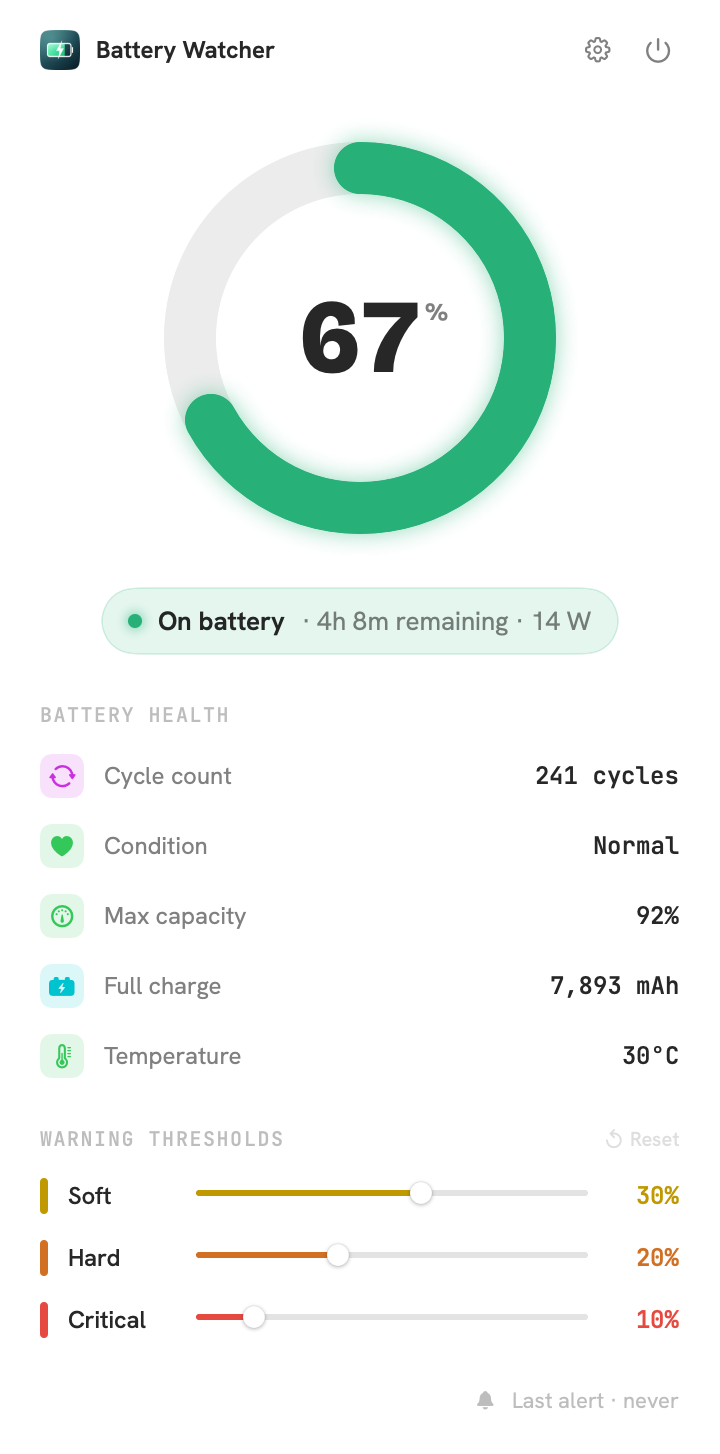
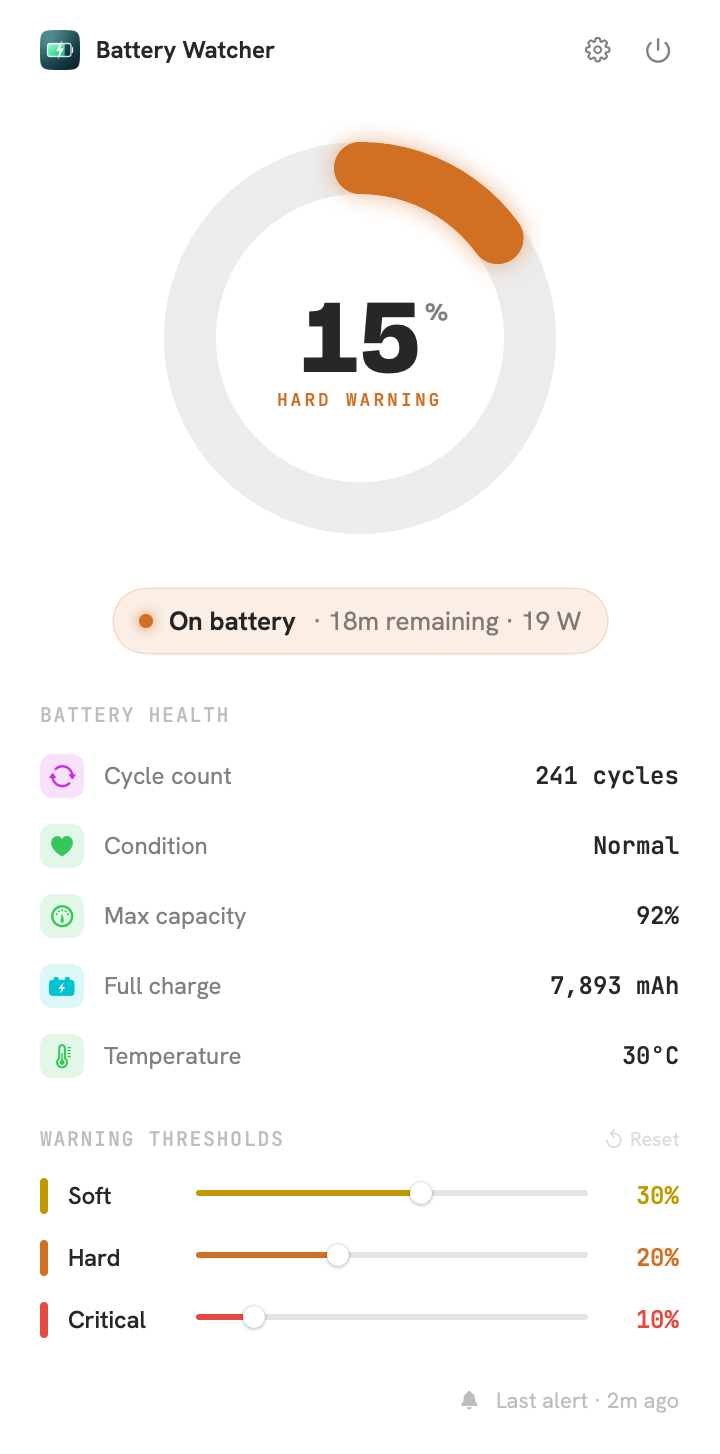
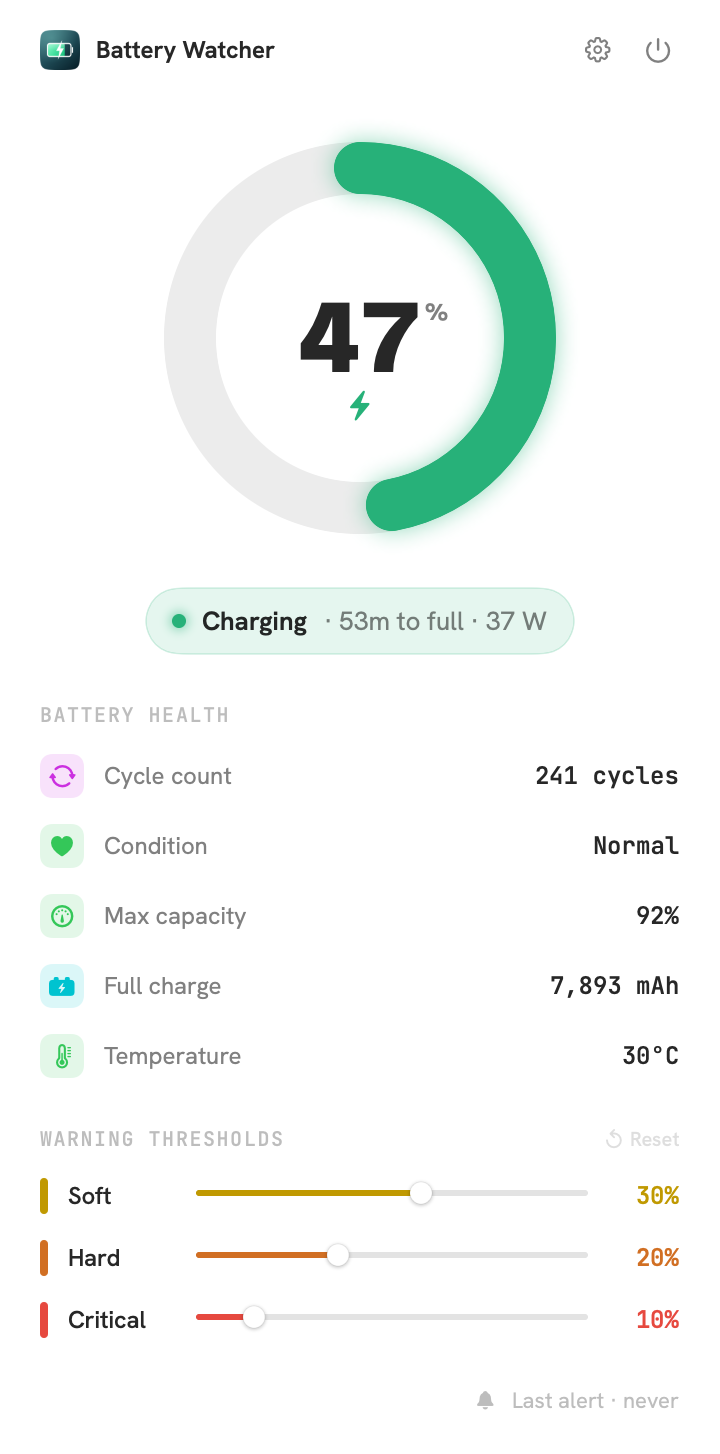
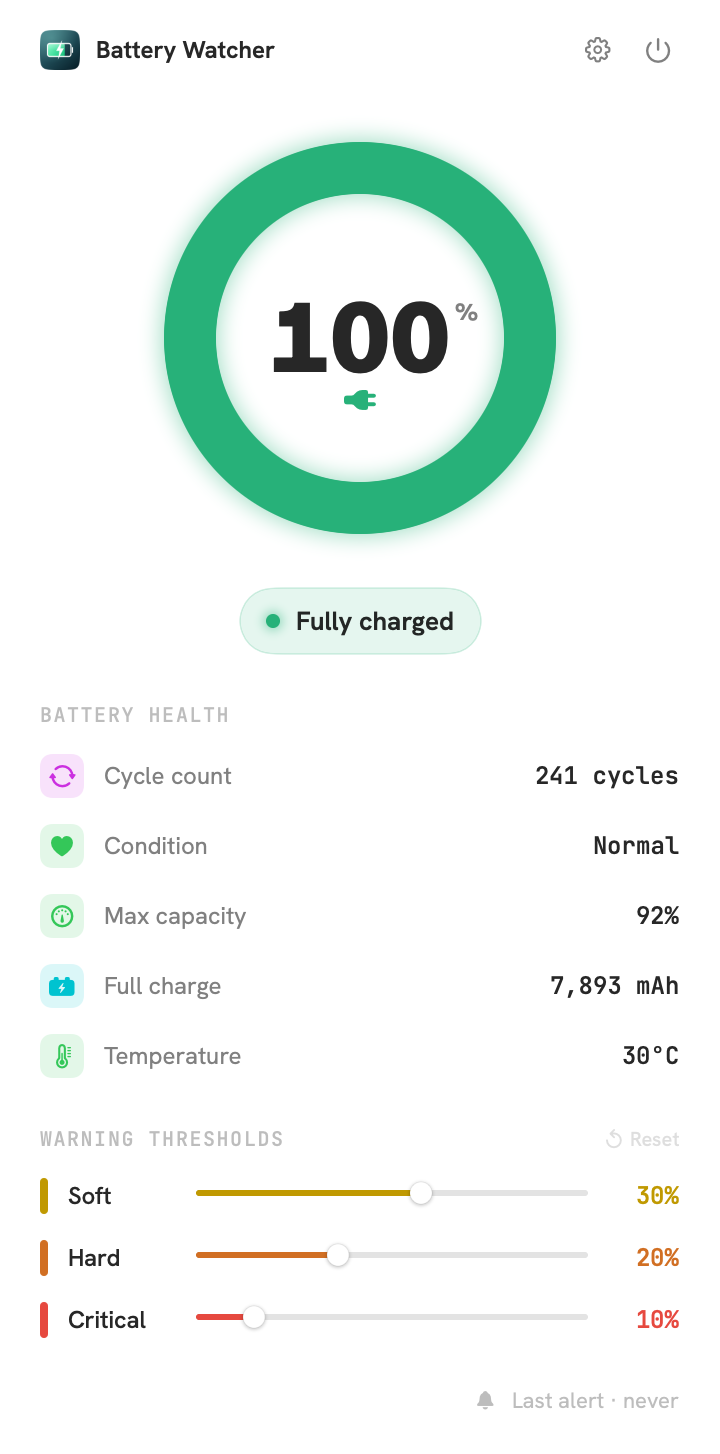
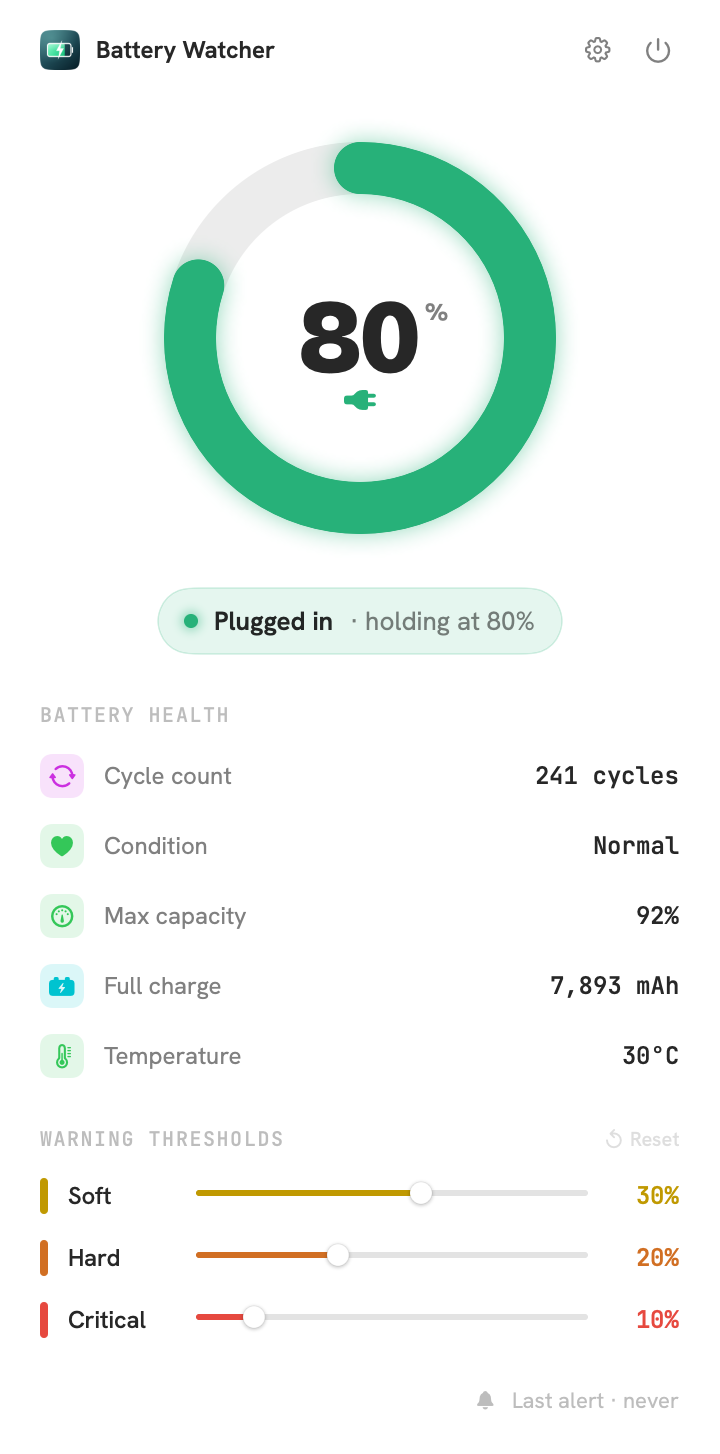
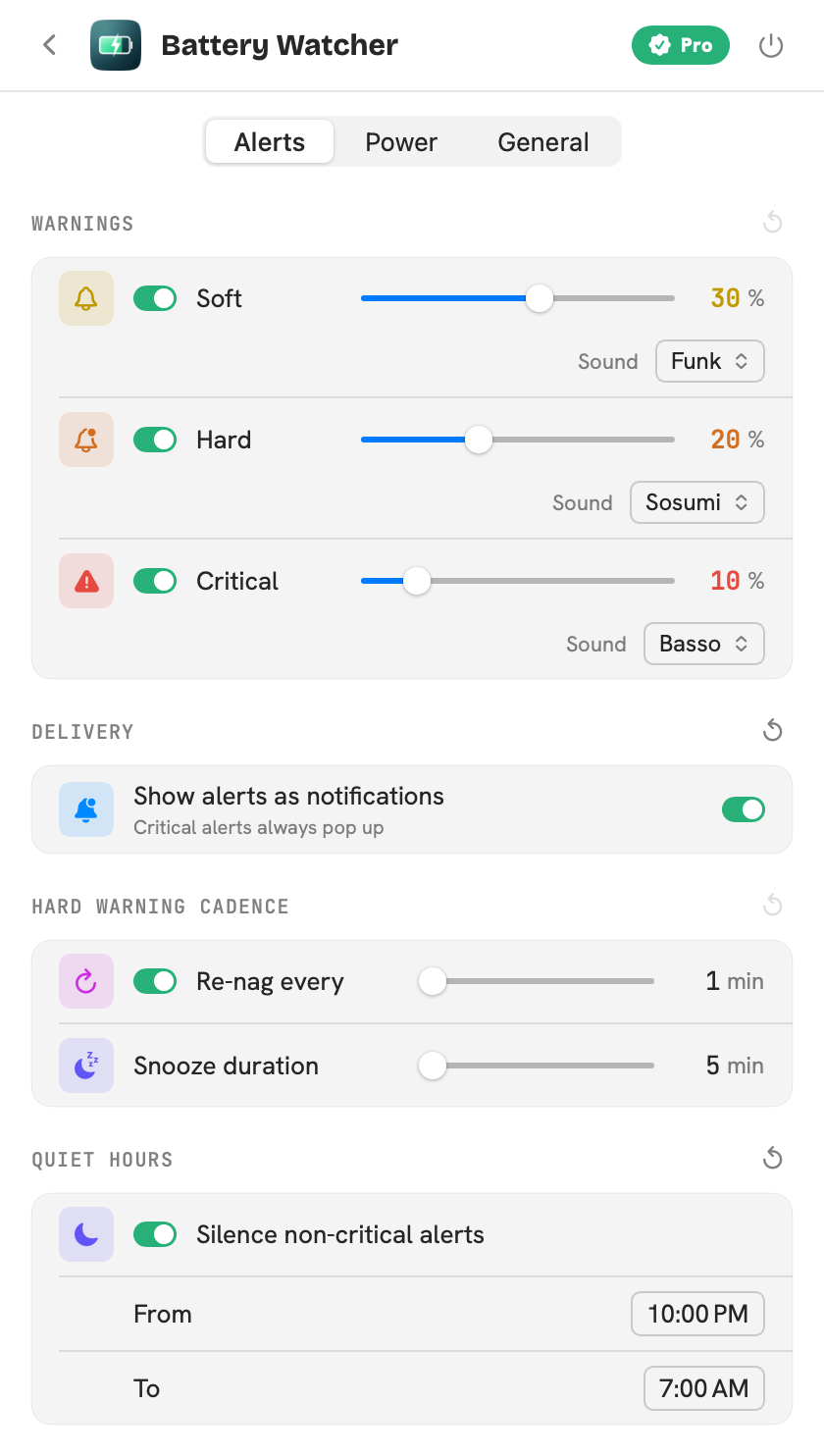
You just dragged the ring through every tier. Here's the rest of what lives behind the icon: the live readout, an alert mid-escalation, and the dials that drive it.
Everything it watches
Small app. Surprisingly thorough.
It starts with three escalating warnings and doesn't stop there. The essentials are free forever; Pro unlocks the dials, the schedule and the health-minded extras.
Three warnings, each louder than the last
Each tier has its own voice: calm, then firm, then urgent, so you're informed long before you're in trouble. These percentages are the defaults; Pro lets you set each threshold yourself.
A quiet heads-up
A gentle nudge to wrap up or find a charger. No interruption, no panic, just a friendly tap on the shoulder.
A firm warning
A snoozable alert that floats above whatever you're working in. Hard to miss, easy to dismiss when you're ready.
Last chance
A final alert with no snooze. Minutes left before your Mac puts itself to sleep, so wrap up the call or find an outlet now.
And a whole lot more…
Battery health at a glance
Cycle count, condition, true max capacity and temperature, all read live in the popover. Heat and wear are the quiet killers of a battery's lifespan, so seeing them early leaves the decision in your hands.
Lives in your menu bar
Show the live percentage or keep just the icon, in the system font or the app's own, and have it launch quietly at login.
Custom thresholdsPro
Set the exact percentage each warning fires at. Dial it in for your battery, your workflow, your nerves.
Warning cadencePro
Tune the snooze length and how aggressively the hard warning re-nags, so reminders land at exactly your pace.
Unplug reminderPro
Get nudged to unplug at your chosen ceiling (default 80%). Staying off a constant 100% is kinder to the battery, helping it hold its capacity for longer.
Quiet hoursPro
Silence every nudge but the critical alert on your schedule, 10pm to 8am by default, so nothing buzzes overnight.
High power-draw alertPro
A heads-up when something's draining the battery unusually fast, so you can catch the runaway app before it bites.
Notifications & soundsPro
Deliver alerts as Notification Center banners and pick a distinct sound per tier, or keep them as floating alerts.
Privacy by construction
Watches your battery. Nothing else.
No account, no network connection, no analytics, no tracking, no ads. Your preferences live on your Mac and never leave it. Battery Watcher ships with a privacy manifest declaring exactly one thing: it stores your settings locally.
- 0 bytes of personal data collected
- No network requests, ever
- Sandboxed for the Mac App Store
- Declared in the privacy manifest
Pricing
Free to use. Pro to tune.
Free to run during the beta. At launch, unlock every setting once with a single purchase. No subscription, ever.
- Three escalating warnings
- Battery health readout
- Menu-bar percentage
- Launch at login
- 100% private, no network
- Everything in Free
- Custom soft / hard / critical thresholds
- Unplug reminder for battery health
- Quiet hours
- High power-draw alert
- Notifications & per-tier sounds
- Snooze & re-nag cadence
Get Battery Watcher
Let it watch, so you don't have to.
Free macOS beta via TestFlight · Pro unlocks at $9.99 at launch · macOS 14+